ZhiTree Books
A personal digital library in your browser. Read PDF, Markdown, HTML and text online, keep your own books and notes on a shelf that lives on your device, and follow the blogs you like by RSS. No account, no sign-up.
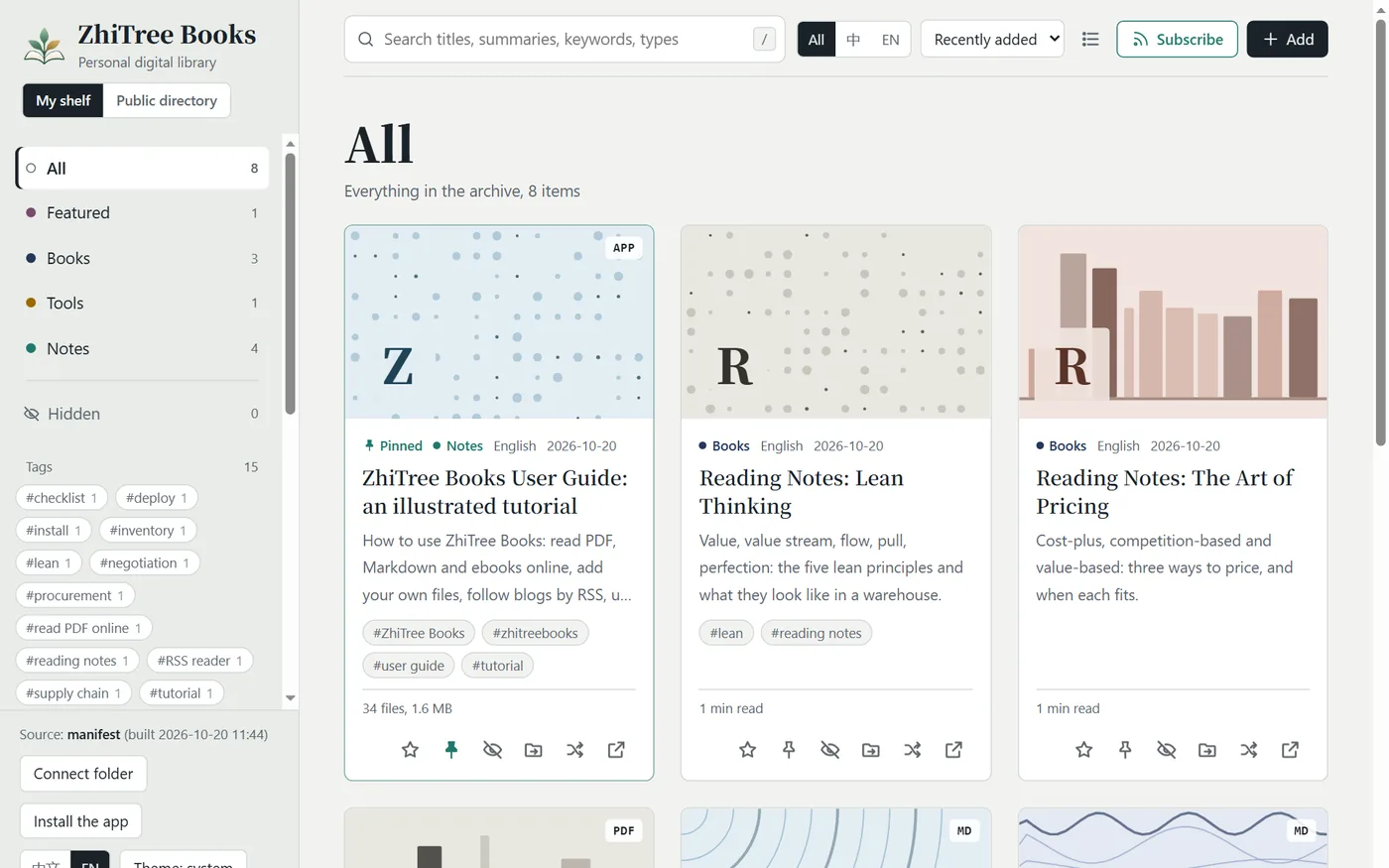
The home page in English (the screenshot shows a demo library).
What you can do
Read online
Open PDF, Markdown, HTML and TXT in a clean reader. It remembers where you stopped, adds bookmarks and a table of contents, and offers light, dark, sepia and green reading colours.
Keep your own books and notes
Bring in files, many at a time, and sort them into collections. They stay in your browser: nothing is uploaded, nobody else sees them. On Chrome or Edge you can also connect a folder on your computer.
Follow blogs by RSS
Subscribe to a blog or feed (RSS, Atom, JSON Feed) and its new articles appear in your shelf as a collection. Only titles, summaries and links are kept; a click goes to the original site.
Use it on your phone
Add it to your home screen and it opens like an app. Pages you have opened can be read again without a network, and on Android you can share files and links to it.
Browse a public directory
A shared list of blogs, articles and reading lists from many people. It keeps only titles, summaries and links back to the original sites. You can submit your own, without an account.
Private by design
No accounts and no cookies of its own. Your files, reading progress, bookmarks and subscriptions are stored in your browser. Sync between devices is optional and end-to-end encrypted: you hold the key.
Start in three steps
- Open ZhiTree Books. The interface switches to English by itself when your browser is set to English; the 中文 | EN switch is at the bottom left.
- Click Add and choose some PDF, Markdown, HTML or TXT files, or switch to Subscribe and paste the address of a blog.
- Click a card to read. Come back any time: the shelf and your place in each text are still there.
Questions
Do I need an account?
No. There is nothing to sign up for: open the page and read. The site does not ask for your name or email.
Where are the files I add stored?
In your own browser. They are not uploaded to a server unless you turn on the optional, encrypted sync, so by default they are not shared between devices; to read on your phone, add the files on your phone or use sync or a backup file. If you clear the site’s data, they are removed, so make a backup first.
Which formats can I read?
PDF, Markdown, HTML and plain text. Markdown and text get a table of contents, bookmarks and adjustable text size; PDF is shown by the browser’s own viewer.
Does it work offline?
After you add it to the home screen, the pages and files you have opened are kept on the device, so you can read them again without a network. Subscriptions update when you open the page and are online.
Can I run my own copy?
Yes. The Install & deploy part of the guide explains how to run it on your computer and put it online.
Who runs this site?
It is run by an individual. Original notes and tools are © the site owner; books and third-party documents belong to their respective rights holders. Rights holders who think something infringes their rights can use the contact details on the (Chinese) About page.